
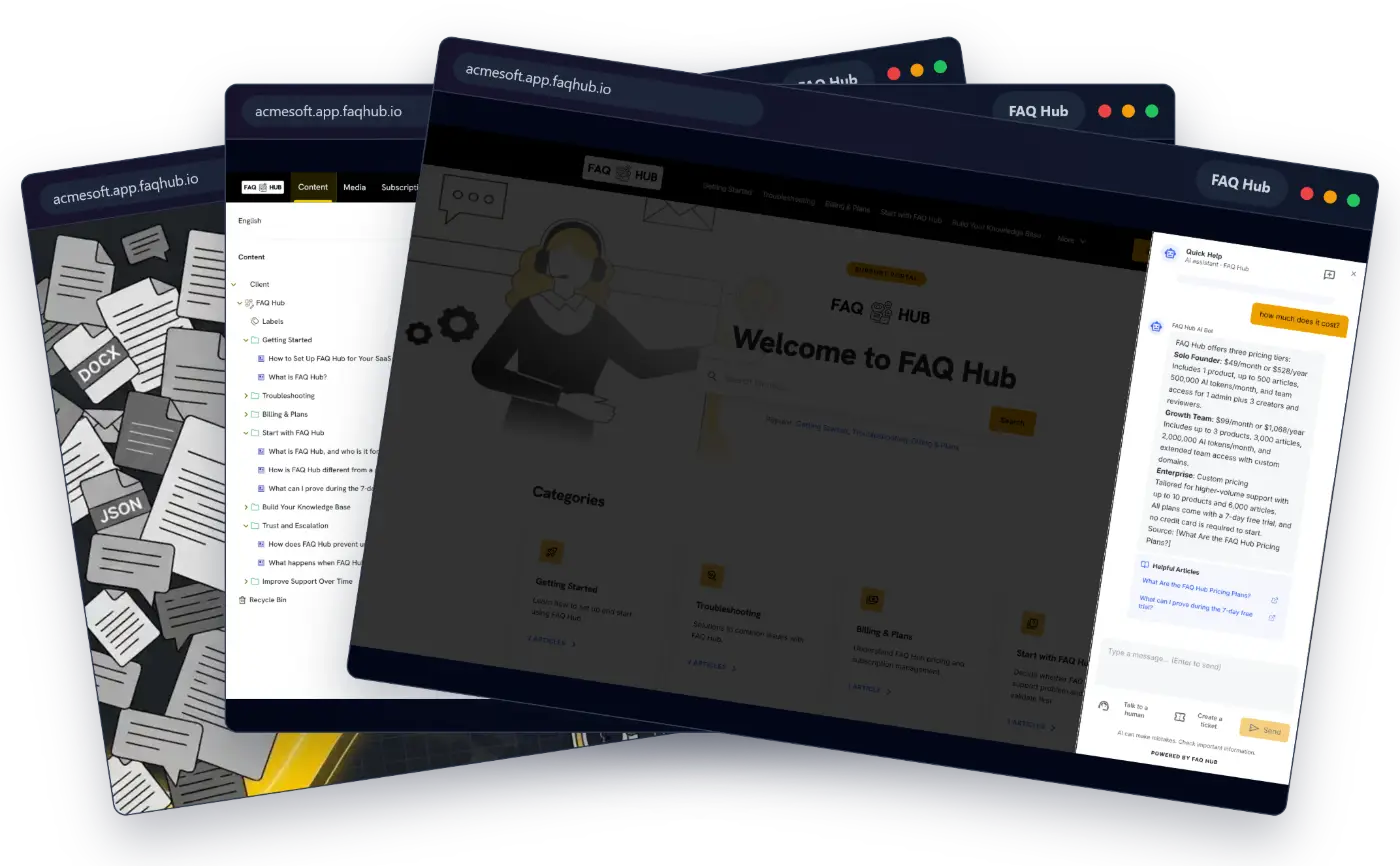
An FAQ host is the system that stores, publishes and delivers your frequently asked questions. A basic host puts answers on a public page. A capable one also gives editors a controlled place to update content, helps customers find the right answer and connects unresolved questions to support.
For a SaaS product, the decision is larger than choosing a domain. You are deciding who will own search, content permissions, answer verification, in-product delivery, analytics and escalation when self-service fails.
What is an FAQ host?
An FAQ host provides the infrastructure and software used to run an FAQ site or knowledge base. Depending on the product, that can include:
- a hosted portal on a vendor subdomain or your own help domain;
- categories, article pages and search;
- authoring, review and publishing controls;
- embedded help inside your product;
- AI answers grounded in approved content;
- citations that let a reader inspect the source; and
- a route to a person when the content cannot resolve the question.
Hosting and placement are separate choices. Your FAQ host may manage the service while customers reach it through help.yourcompany.com, an embedded panel, a chat widget or several of those surfaces at once.
Why SaaS products need more than an FAQ page
A static FAQ page works when the question set is small and changes rarely. SaaS support usually grows past that point. Different roles need different instructions, product changes make old answers unsafe, and users ask for help while they are in the middle of a workflow.
That creates four practical requirements:
- Fast retrieval. Customers need a direct route to an answer, not a long page to scan.
- Controlled updates. Somebody must own each answer and decide what is safe to publish.
- In-product access. Help should be available where a user encounters the problem.
- A clear fallback. Missing evidence should lead to a human or ticket, not a confident guess.
An FAQ host is useful when it handles those operational details without forcing a small product team to maintain another application.
Hosted FAQ service vs building in-house
The right choice depends on where your product needs control and where custom engineering would merely recreate standard support infrastructure.
| Decision area | Hosted FAQ service | Build in-house |
|---|---|---|
| Initial setup | Configure an existing portal, content model and delivery surface | Design and implement the content model, editor, search and frontend |
| Ongoing maintenance | Vendor maintains the platform; your team maintains content and configuration | Your team owns security updates, uptime, search quality and editor tooling |
| Product fit | Best when standard portal, widget and workflow options cover the use case | Best when support must be deeply coupled to proprietary product behaviour |
| Verification | Evaluate review states, source links, permissions and AI grounding | Define and enforce the full verification model yourself |
| Portability | Check exports, APIs, custom domains and content ownership before buying | You control storage, but must build migration and export paths |
| Cost shape | Subscription cost with lower initial engineering work | Higher initial build cost plus continuing operational ownership |
Choose a hosted FAQ service when speed, reliable defaults and low maintenance matter more than owning every layer. Build when the support experience is a genuine product differentiator that cannot be delivered through an API, widget or configurable portal.
Do not compare subscription price with development cost once. Compare the full operating cost over two or three years: engineering, hosting, monitoring, security, search tuning, content administration and migration work.
How to evaluate an FAQ host
Speed of setup
Test setup with your own material. Import a small but messy sample, publish one category and place help inside a staging product. A polished demo does not reveal how much manual cleanup, mapping or frontend work your team will inherit.
Citation and verification
If the service generates AI answers, ask to see the source behind each answer. Check what happens when the knowledge base does not contain enough evidence. The correct behaviour is to disclose the gap and offer another route, not fill the space with plausible text.
Editors also need draft and published states, permissions and a visible review boundary. AI-assisted rewriting should be a proposal that a person can inspect.
In-app delivery
Decide where customers need help. A public portal supports browsing and search. An inline panel can sit beside a difficult workflow. A floating widget handles questions without sending the user to another tab. Keyboard search such as Cmd+K suits experienced users who want to move quickly.
A good FAQ host can serve several of these experiences from one published knowledge source. Otherwise, each new surface becomes another copy of the content to maintain.
Human handoff
Inspect the transition, not just the live-chat button. The human responder should receive the active conversation and useful page or search context. The customer should know whether they are speaking to AI or a person, and a new session should not be presented as though it contains an old transcript.
Ownership, security and exit
Confirm who owns the content, how it can be exported and what happens when you cancel. Review authentication, editor roles, tenant separation, backups, data retention and custom-domain controls. These questions are harder to answer after the knowledge base has become part of the support operation.
Where should the FAQ experience live?
Your public URL affects discovery and branding, but it does not have to determine the underlying platform.
- Vendor subdomain: the quickest starting point, such as
your-product.app.faqhub.io. - Custom help subdomain: a branded destination such as
help.yourcompany.comwhile the FAQ host runs the service. - Path on the main site: useful when the knowledge base is part of the same web application and routing stack.
- Embedded support: an inline portal, widget or command menu inside the product.
- Hybrid: a full portal for browsing plus embedded help for high-friction tasks.
For most SaaS teams, hybrid delivery is the practical choice. The public portal gives every article a stable destination, while embedded support meets users at the point of difficulty.
How to migrate messy documentation
Migration is a content decision before it is a hosting task. Moving every old file into a new system preserves the mess.
- Collect real questions. Use support conversations, failed searches, onboarding calls and sales objections.
- Name an authoritative source. Decide which pricing, permissions, policy and workflow documents win when sources disagree.
- Remove obvious duplicates and expired guidance. Keep disputed material out of customer answers until an owner resolves it.
- Organise around user tasks. Turn internal project names into titles customers would search for.
- Import a representative set. Cover one complete journey and the most common or risky problems first.
- Review before publishing. Check instructions, links, screenshots, permissions and source citations.
- Test customer wording. Ask the questions users actually type, including incomplete and informal versions.
- Expand from evidence. Add content when searches and support conversations reveal a gap.
The detailed knowledge-base cleanup guide covers source ownership, contradiction handling and staged rollout.
Metrics to track after launch
Track whether customers reach a usable answer, not merely whether the FAQ host receives traffic.
- Search success: the share of searches that lead to a useful article or answer.
- No-result and low-confidence queries: the language your content does not yet cover.
- Article helpfulness with reasons: what was missing or unclear, not just a thumbs-up count.
- Escalation after self-service: where a portal, widget or AI answer still leads to a person.
- Resolution without repeat contact: whether the same issue returns through another channel.
- Content freshness: overdue reviews and articles affected by product changes.
- Task completion: whether users complete the workflow they were trying to understand, where this can be measured responsibly.
Ticket volume alone is ambiguous. More customers can create more tickets even when self-service improves, while fewer tickets can mean that users gave up. Read support demand alongside customer growth, product completion and feedback.
FAQ Hub as a hosted option
FAQ Hub is one example of a hosted FAQ service built for SaaS teams. It can turn supported source material into a starting knowledge portal, then deliver the same published content through a hosted site, inline portal, floating chat widget or Cmd+K search.
Its AI answers point back to published source material. When the available evidence is insufficient, the support flow can offer a ticket or human conversation with the active context attached. Teams still own source selection, review and publication; the host removes the need to build the surrounding CMS and delivery infrastructure.
That combination is the useful test for any FAQ host: can your team publish trusted answers quickly, put them where customers need them and learn from the questions the system could not resolve?
Continue with How to Host FAQ Hub Support and Automate Your Knowledge Base for the product-specific delivery and content workflow.