
The most useful question to ask before rolling out an AI support assistant is not, “Which model should we use?” It is this:
When you rolled out your current chat assistant, how did you handle the initial knowledge-base cleanup?
The honest answer should include more than “we imported everything”. A chatbot connected to duplicated, contradictory, or obsolete documentation can retrieve bad information faster, but it cannot make that information trustworthy.
The short answer
Start by deciding which sources are authoritative. Remove obvious duplicates and expired policies. Restructure the remaining material around customer tasks. Import a bounded set into the new system, test real questions against it, and only then widen coverage.
FAQ Hub helps with the ingestion, structure, review, publication, search, and support-delivery parts of that process. It does not pretend that an AI model can decide your commercial policy or identify the one correct version of a disputed workflow without human input.
What “cleanup” should mean
A useful cleanup has four outcomes.
1. Every important answer has an owner
Choose the source of truth for pricing, permissions, account administration, product workflows, troubleshooting, and security guidance. If pricing exists in a sales deck, website page, support macro, and old PDF, decide which one wins before asking an assistant to answer pricing questions.
2. Content is organised around user intent
Customers rarely use your internal team names. They ask, “How do I invite a colleague?”, “Why was my payment declined?”, or “Can a reviewer publish this?”
Turn those tasks into clear article titles and keep the cause, prerequisites, steps, and expected result together. That structure helps human readers, keyword search, semantic retrieval, and AI answer generation.
3. Unsupported claims are removed
Delete expired plan limits, screenshots of retired interfaces, temporary workarounds, and statements nobody can verify. Mark genuine unknowns instead of filling gaps with plausible copy.
4. The first release is intentionally small
Do not begin with every file the company has ever produced. Start with the highest-volume and highest-risk questions, then expand from evidence. The free FAQ Coverage Gap Audit can help turn product areas into a prioritised backlog.
How FAQ Hub handles starting material
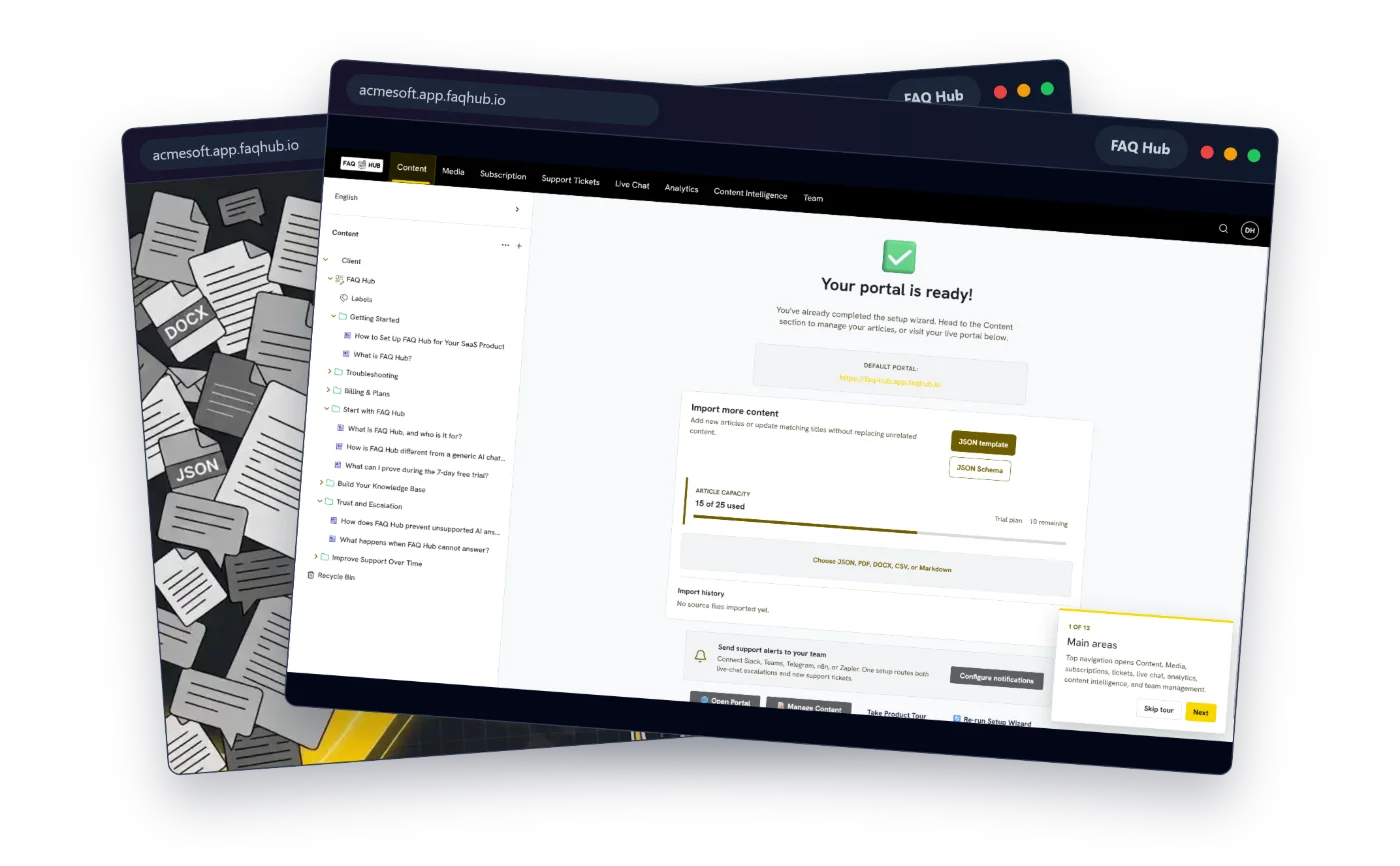
FAQ Hub can use text-based PDF, DOCX, CSV, Markdown, structured JSON, and selected public website content as onboarding sources. Public-site discovery is sitemap-led, so it works best when important help, feature, and pricing pages are crawlable without authentication.
There are two useful paths.
Assisted starting content
FAQ Hub can use a confirmed product brief and extracted source text to create portal-specific categories and starter articles. The source material is treated as untrusted evidence, and materially conflicting facts should be omitted rather than blended into a confident answer.
This is a starting point, not outsourced product ownership. Text extraction cannot recover words from every scanned PDF, private website, or JavaScript-only interface. Generated content should still be checked by somebody who owns the workflow.
The initial setup publishes content after the final confirmation step, so review the selected sources and product brief carefully. After onboarding, additional imports are created as drafts for review before publication.
Deterministic structured import
Teams that already have clean structured data can use schema-validated JSON. This route preserves supplied content instead of asking AI to rewrite it. It rejects unsafe markup, unexpected fields, duplicate category names, duplicate article titles, and oversized structures before anything is created.
That distinction matters: use assisted generation when source material needs shaping; use structured import when wording and hierarchy are already controlled.
A rollout sequence that works
- Collect real questions. Pull recurring searches, tickets, onboarding objections, and chat transcripts.
- Assign authoritative sources. Identify who owns each policy or workflow.
- Retire contradictions. Do not import two active answers to the same question.
- Import a representative set. Cover common, costly, and high-risk tasks first.
- Test with customer language. Ask the assistant questions exactly as customers phrase them.
- Inspect citations and gaps. A useful answer should trace back to published support content.
- Escalate unknowns. Missing evidence should become a content task, not a fabricated answer.
- Expand deliberately. Add the next set only after the first set is producing reliable answers.
What FAQ Hub improves over a one-off migration
A conventional migration ends when pages appear in the new knowledge base. FAQ Hub keeps the same content connected to the customer portal, search, grounded chat, tickets, analytics, and content-quality workflows.
You can import further material as drafts, use field-level AI assistance as a proposal rather than an automatic save, and run checks for stale pages, orphaned content, possible contradictions, and missing links. Those checks identify where a human should look; they do not silently rewrite the source.
The result is not a magically “clean” knowledge base. It is a controlled starting point with visible sources, review boundaries, and a way to turn future support failures into documentation work.