Why Do Support Tickets Increase by 300% After Product Launch?
When a SaaS product launches, support ticket volume typically spikes 10x or more within the first 48 hours.
When a SaaS product launches, support ticket volume typically spikes 10x or more within the first 48 hours as new users encounter onboarding friction, feature discovery gaps, and integration questions. The root cause: 70% of post-launch support requests are repetitive questions that already exist in documentation but remain undiscovered by users, creating an artificial support burden that scales with user acquisition rather than genuine complexity.
Why This Matters: The Economics of Post-Launch Chaos
A founder of a $2M ARR SaaS company encountered this firsthand. In September, their support tickets climbed from a manageable 150 per month to 400+ by November—a 167% increase in volume. Their initial assumption: rapid customer growth required more support staff. The reality proved different. Customer acquisition had increased only 15%. After auditing the tickets, they discovered that over half consisted of basic inquiries: "How do I set up integrations?" "How do I create custom reports?" "How do I export data?" All were covered in existing documentation. The information was available. Users simply weren't finding it.
This pattern repeats across SaaS launches. Research shows that 70% of support requests during product launches address repetitive, routine inquiries—questions that don't require specialist knowledge but do consume support capacity at scale. When support agents spend 80% of their time answering discoverable questions, complex issues get delayed, response times degrade, and customer satisfaction deteriorates. For enterprises, this translates to visible SLA breaches, escalations, and frustration that undermines the launch's market impact.
The broader economic consequence: A robust knowledge base reduces support ticket volume by 40-60%. For a team handling 500 monthly tickets with 40% repetitive issues, that's 200 tickets eliminated—roughly 23 hours of agent time reclaimed monthly. Those recovered hours shift capacity from reactive firefighting to proactive customer success, adoption enablement, and strategic expansion conversations that drive revenue.
How FAQ Hub Solves This: Tier 0 Support Infrastructure
FAQ Hub addresses the post-launch ticket spike by implementing what enterprises call "Tier 0 support"—automated, self-service deflection that answers customer questions before they become tickets.
The Tiered Support Model
Enterprise support teams operate across three escalation tiers:
- Tier 1: First-line support (password resets, basic troubleshooting, account questions)—targets 70-80% first-contact resolution
- Tier 2: Advanced technical support (system diagnostics, complex configurations, integrations)—handles 15-20% of escalations
- Tier 3: Specialist/engineering escalation—addresses final 5% of issues requiring deep expertise
Most post-launch tickets never warrant Tier 2 or 3 involvement. They're Tier 1 friction points: activation blockers, feature discovery gaps, or documentation gaps. FAQ Hub moves these below Tier 1 entirely—into Tier 0, where customers self-serve before submitting a ticket.
Implementation: Searchable, Structured Documentation
FAQ Hub operates on three technical principles that drive ticket deflection:
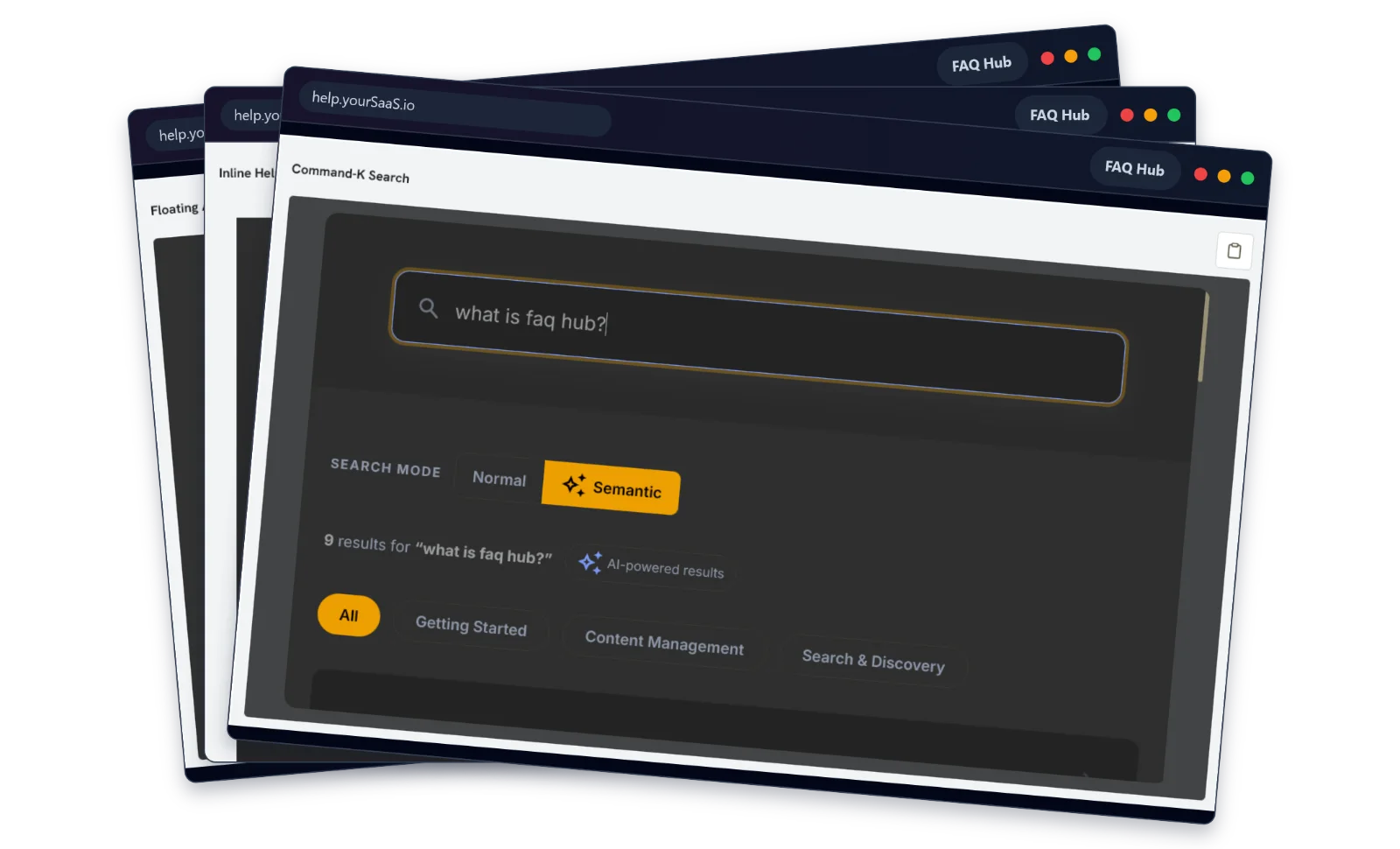
- Natural Language Discoverability: Customers search for information using their own language ("Where's my order?"), not your documentation's structure ("order tracking"). FAQ Hub's search algorithm matches customer intent, not just keyword exactness. This increases discovery rates by 97% compared to keyword-only FAQs.
- Point-of-Need Documentation: The second barrier to discovery is navigation friction. A customer stuck on onboarding doesn't browse your help center—they're blocked mid-workflow. FAQ Hub integrates in-app messaging and contextual help so answers appear at the exact moment friction occurs, eliminating the need for users to leave their workflow to search.
- Categorization and Tagging: Well-organized information scales discovery. FAQ Hub uses hierarchical categorization (General → Integrations → Salesforce), internal tagging (onboarding, troubleshooting, admin), and synonym mapping so customers find information regardless of how they phrase their search. When content is scattered across 50 documentation pages, users contact support instead of searching longer.
Quantified Deflection Impact
When enterprises deploy this model, ticket deflection rates reach 40-87%, depending on knowledge base maturity. Webflow, a design platform, achieved 70-80% average deflection with peak deflection at 87% by centralizing IT support through intelligent automation and documentation routing. A logistics SaaS firm reduced support volume by 43% while simultaneously improving response times by 50% and CSAT by 35%.
Implementation Steps: Building Tier 0
Step 1: Audit Current Support Tickets (Week 1)
Before launch, analyze your existing support volume. If pre-launch, simulate expected questions by running user research sessions with beta customers. For every 100 tickets, categorize by:
- Resolution type (How-to? Bug? Feature request?)
- Escalation path (resolved immediately vs. required specialist)
- Repetition frequency (how many similar tickets exist?)
This audit typically reveals that 50-70% fall into repeatable categories. Those are your Tier 0 candidates.
Step 2: Source Documentation from Ticket Language (Week 2-3)
Here's the critical insight: the language customers use in support tickets is the exact language they'll search for in your help center. If customers email asking "How do I reset my password?" and you title your article "Password Reset Procedures," search discovery fails.
For each high-frequency ticket category, extract the customer's exact phrasing and create FAQ Hub articles using their language. Title: "How do I reset my password?" Include subheadings and tags that match common variations: "Forgot password," "Password reset," "Can't log in."
Step 3: Implement Search-First Navigation (Week 3-4)
Place search as the primary navigation path. Customers should see a prominent search bar before browsing categories. Add autocomplete suggestions based on your highest-volume questions. For example:
- "How do I..." suggestions for common setup questions
- "Where do I..." for navigation questions
- "Why isn't..." for troubleshooting
Step 4: Set Up In-App Contextual Help (Week 4-5)
Beyond external knowledge base search, embed FAQ Hub content directly into your product. When a user reaches the integrations page for the first time, trigger an in-app modal linking to your integrations FAQ. When a user fails to complete onboarding, offer contextual help rather than wait for a support ticket.
Studies show that interactive onboarding guidance increases product adoption by up to 50%, which directly reduces support friction at activation.
Step 5: Monitor and Optimize (Ongoing)
Track three KPIs:
- Knowledge base search volume: Are customers finding your FAQ? (Goal: 3-5 searches per 10 new users)
- Deflection rate: What percentage of customers find answers before submitting tickets? (Goal: 40%+ within 30 days of launch)
- First Contact Resolution (FCR): Of the tickets that do reach support, what percentage resolve on first interaction? (Industry standard: 70-79%; enterprise goal: 80%+)
Each 1% improvement in FCR yields 1% improvement in customer satisfaction and 2.5% improvement in support agent satisfaction.
Review customer search logs weekly. If customers search for "setup integrations" 50 times but you don't have an integration setup guide, that's a content gap. Prioritize new articles based on search demand, not guesses about what users need.
What Enterprises Do Differently: The Consulting Pitch
The distinction between successful post-launch support and chaotic scaling comes down to organizational structure and foresight. Most SaaS founders treat support as reactive—hire an agent, respond to tickets, scale headcount. Enterprises structure post-launch support as a designed system with intentional escalation paths.
Enterprise Post-Launch Support Architecture
When enterprise customers implement a new platform, their onboarding and support motion follows a repeatable playbook:
- Dedicated onboarding team (separate from reactive support): Owns first 30-60 days, guided by a Mutual Action Plan with defined milestones, owners, and success criteria.
- Structured Tier 1 capacity: Instead of a single "support team," enterprises staff Tier 1 with high-volume, low-complexity specialists who understand the full resolution playbook. Tier 2 consists of senior technicians handling escalations only. Tier 3 is reserved for engineering and specialist involvement.
- Knowledge base as product: Enterprises treat FAQ/knowledge base infrastructure as a product module, not an afterthought. They invest in search UX, content curation, and analytics. Document360, HubSpot's internal support platform, reports that customers "adopted Document360 to handle bigger issues better because emails and tickets with basic questions almost stopped coming in."
- Proactive customer success, not reactive support: Beyond tickets, enterprises deploy Customer Success Managers (CSMs) during onboarding. CSMs guide customers through activation milestones, identify adoption blockers before they become support issues, and coordinate cross-functional enablement (training, configuration, testing).
- Post-launch cadence: Enterprise launches include structured check-ins at 30, 60, and 90 days post-go-live. Each checkpoint measures adoption, outstanding issues, and readiness for the next phase. This prevents the common scenario where customers stall mid-onboarding and generate support backlog as a symptom of unaddressed activation friction.
For a SaaS company targeting enterprise accounts, this structure demonstrates operational maturity. For those targeting SMB and mid-market, FAQ Hub + in-app guidance + async support handles 70-80% of cases without full CSM overhead.
Related Questions Customers Ask
Q1: How do you measure whether a knowledge base is actually reducing tickets?
Track deflection rate: (customers who found answers via FAQ / customers who could have submitted tickets) × 100. Webflow calculated this precisely: they went from unmeasured deflection to 70-80% measurable deflection by implementing systematic monitoring.
Q2: Doesn't a knowledge base just shift the problem—customers now search longer instead of emailing?
Only if your FAQ is poorly designed. Properly optimized FAQs reduce search time to 10-15 seconds (vs. 48+ hours waiting for support response). AI-powered search shows answers 97% faster than traditional keyword search. Customers prefer immediate self-service.
Q3: What percentage of post-launch tickets should be "Tier 0" (resolved via FAQ, not support)?
Target 40-60% deflection within 30 days of launch. This means for every 100 new customer signups, 40-60 activate and resolve questions independently. Top performers (Webflow, Project44) achieve 70-87% deflection by maintaining rigorous content quality and search performance.
Q4: How does FAQ Hub integrate with existing support platforms?
FAQ Hub operates independently as a customer-facing knowledge base. It feeds data to your support platform—search logs identify common support gaps; high-deflection articles inform Tier 1 training. Most enterprises use it alongside Zendesk, Freshdesk, or Intercom to create a two-layer model: Tier 0 (FAQ) and Tiers 1-3 (ticketed support for escalations).
Q5: Can I launch my product without a knowledge base?
Technically, yes. Practically, no. The cost of reactive support (hiring to handle 70% repetitive questions) exceeds the cost of building FAQ infrastructure. The 167% ticket spike example shows what happens—you either pre-invest in documentation or post-invest in support headcount at 3-5x the labor cost.
Summary
The 300% post-launch support spike is not inevitable chaos—it's predictable friction created by undiscovered documentation. Enterprises solve this by designing Tier 0 support: searchable, discoverable, in-product guidance that deflects 40-87% of post-launch questions before they reach support agents. FAQ Hub enables this model with natural language search, contextual help, and analytics that prioritize content based on real customer demand, not guesses.
The ROI is straightforward: a 50% reduction in ticket volume frees 23+ hours monthly per 500-ticket baseline, allowing support teams to focus on genuine complexity while improving First Contact Resolution from 65% to 80%+. For early-stage SaaS, this means launching without over-hiring support. For enterprises, it means predictable, scalable onboarding that exceeds customer expectations.