
Content automation should not need a CMS administrator account. It should also not turn every source change into an immediate public edit.
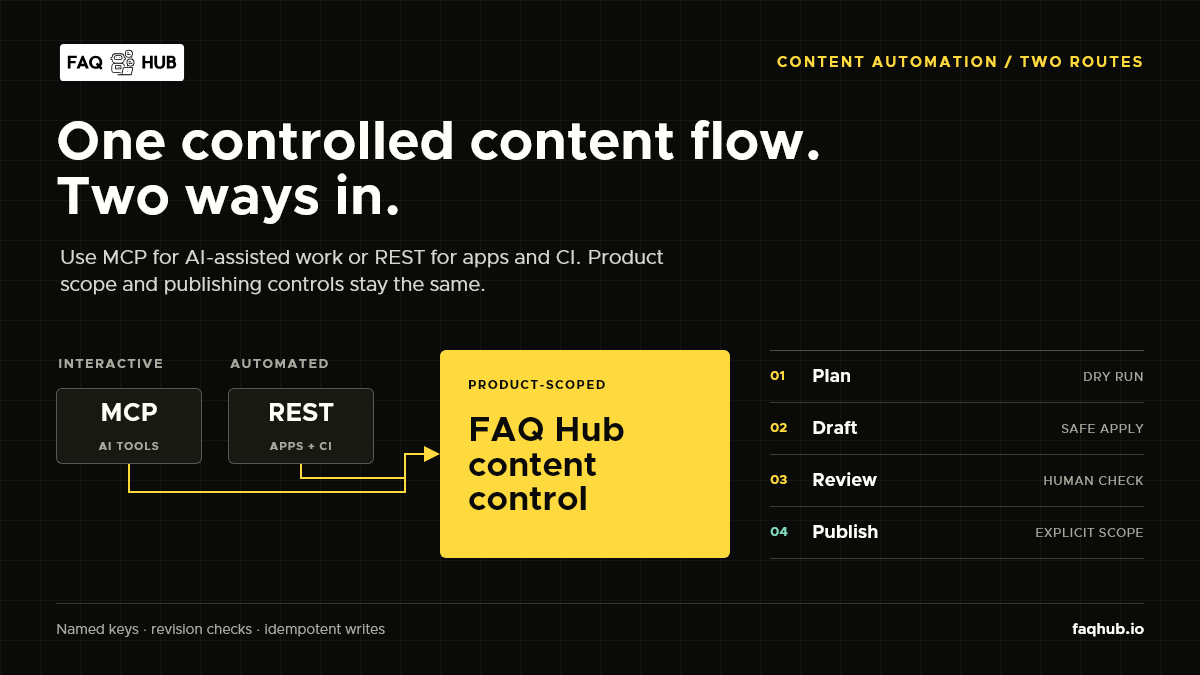
FAQ Hub exposes one product-scoped content workflow through two interfaces: MCP for compatible AI tools, and REST for applications, scheduled jobs and CI pipelines. Both routes use the same API-key scopes, revision checks, draft-first apply step and explicit publish control.
Choose the interface that fits the job
| Use MCP when | Use REST when |
|---|---|
| An editor or developer is working inside an MCP-compatible AI tool | A service, script or pipeline already makes HTTP requests |
| The client can inspect tools and their schemas | The integration needs fixed requests and conventional monitoring |
| A person wants to review a proposed content change interactively | The workflow needs deterministic CI or scheduled execution |
This is not a choice between two content models. MCP tools and REST endpoints call the same product-scoped services. A team can use MCP for interactive maintenance and REST for repeatable delivery without creating separate rules for each route.
Create a product-scoped key
Open Product Info in FAQ Hub, enable MCP access when an MCP client needs it, then create a named key with the narrowest preset that fits the task.
- A Writer key can inspect content, plan changes and apply drafts.
- A Reviewer key adds publication authority.
- A read-only key is enough for inventory, export and drift checks.
FAQ Hub derives tenant and product scope from the validated key. Manifests and tool arguments cannot select another tenant or product. Keep plaintext keys in a secret manager, rotate them by creating a replacement, and revoke keys that no longer have an owner or workload.
Connect FAQ Hub to an MCP client
FAQ Hub serves MCP over Streamable HTTP at https://api.faqhub.io/mcp. In VS Code, add a server entry to your user or workspace MCP configuration:
{
  "servers": {
    "faqhub": {
      "type": "http",
      "url": "https://api.faqhub.io/mcp",
      "headers": {
        "Authorization": "Bearer ${input:faqhub-api-key}"
      }
    }
  },
  "inputs": [
    {
      "type": "promptString",
      "id": "faqhub-api-key",
      "description": "FAQ Hub product API key",
      "password": true
    }
  ]
}
Restart the server after saving the configuration. The key remains outside the file and VS Code prompts for it when needed. Other clients may use a different configuration shape, but the endpoint and bearer header stay the same. See the MCP specification and VS Code MCP documentation for client details.
Start with read-only calls:
product_getreturns the product identity, languages and article allowance;content_listreturns bounded metadata without article bodies;content_getreads one product-owned item;content_exportreturns canonical schema-v2 content for comparison or round trips.
FAQ Hub returns plain-text metadata and HTML article bodies rather than exposing CMS editor storage formats. Results include a correlation ID for diagnostics and never use a caller-supplied tenant or product ID.
Use the REST API from a pipeline
REST uses the same bearer key. Export current content before preparing a change:
curl --fail-with-body \
  --header "Authorization: Bearer $FAQHUB_API_KEY" \
  https://api.faqhub.io/api/v1/content/export
Build a complete schema-v2 manifest. Stable externalId values let FAQ Hub match repository documents to existing content across later runs.
{
  "schemaVersion": 2,
  "sourceSystem": "product-docs",
  "mode": "merge",
  "categories": [
    {
      "externalId": "getting-started",
      "name": "Getting started",
      "description": "Set up the product and invite your team.",
      "slug": "getting-started",
      "locale": "en",
      "sortOrder": 0,
      "managedFields": ["name", "description", "slug", "sortOrder"],
      "articles": [
        {
          "externalId": "invite-your-team",
          "title": "Invite your team",
          "excerpt": "Add colleagues and assign the right access.",
          "body": "<p>Open Team, select Invite member, then choose a role.</p>",
          "tags": ["team", "access"],
          "slug": "invite-your-team",
          "locale": "en",
          "sortOrder": 0,
          "statusIntent": "draft",
          "managedFields": ["title", "excerpt", "body", "tags", "slug", "sortOrder"]
        }
      ]
    }
  ]
}
Plan the manifest before writing anything:
curl --fail-with-body \
  --request POST \
  --header "Authorization: Bearer $FAQHUB_API_KEY" \
  --header "Content-Type: application/json" \
  --data @manifest.json \
  https://api.faqhub.io/api/v1/content/plan
The response groups proposed items as creates, updates, moves, no-ops, conflicts or archive candidates. A plan expires after 15 minutes, which keeps an old review from being applied to newer content.
Apply drafts, then publish deliberately
Apply an accepted change set with a caller-generated idempotency key:
curl --fail-with-body \
  --request POST \
  --header "Authorization: Bearer $FAQHUB_API_KEY" \
  --header "Content-Type: application/json" \
  --data '{
    "changeSetId": "CHANGE_SET_ID_FROM_PLAN",
    "idempotencyKey": "docs-sync-2026-09-13-01"
  }' \
  https://api.faqhub.io/api/v1/content/apply
Apply creates or updates drafts only. It does not publish, even when incoming content requests a published state. Reusing the same idempotency key with the same request returns the stored result; reusing it for different input is rejected.
Publication is a separate request requiring content:publish. Send only reviewed content keys and the exact revisions returned by the apply step:
curl --fail-with-body \
  --request POST \
  --header "Authorization: Bearer $FAQHUB_REVIEWER_API_KEY" \
  --header "Content-Type: application/json" \
  --data '{
    "items": [
      {
        "contentKey": "CONTENT_KEY_FROM_APPLY",
        "expectedRevision": "REVISION_FROM_APPLY"
      }
    ],
    "idempotencyKey": "docs-publish-2026-09-13-01"
  }' \
  https://api.faqhub.io/api/v1/content/publish
Revision checks stop a stale pipeline from overwriting a newer edit. Mirror mode may report archive candidates, but apply does not silently remove content. Unpublish and archive remain explicit operations with their own scopes.
The same workflow through MCP
An MCP client follows the equivalent sequence:
- Call
content_exportto inspect current content and revisions. - Build or update a schema-v2 manifest from the chosen source.
- Call
content_plan_syncand review every conflict or archive candidate. - Call
content_apply_syncwith the returned change-set ID and an idempotency key. - Review the drafts in FAQ Hub.
- Call
content_publishonly with approved keys and expected revisions.
The AI client supplies reasoning and source context. FAQ Hub owns authorization, product boundaries, validation, conflict detection and content lifecycle rules. Treat source files and model output as untrusted until the plan has been reviewed.
A sensible production split
Use separate keys for separate responsibilities:
- CI receives a Writer key and can create drafts;
- a release job or authorised reviewer holds the Reviewer key;
- monitoring receives a read-only key for exports and drift checks.
This split limits what each workload can do and leaves individual keys available for rotation or revocation. It also keeps publication as a visible release decision instead of a side effect of content generation.
Start with one category and one article. Export, plan, inspect the draft and publish it. Once that path is observable and repeatable, add more sources or schedule the workflow.